Last updated: July 27, 2025
In this page we will learn how to backtest a simple EMA crossover strategy.
This application is currently not digitally signed. Windows SmartScreen may show a warning on first launch. You can safely bypass this by selecting More Info → Run Anyway.
Download data of your choice using "Data Fethcer". Then we will be able to backtest using installed data.
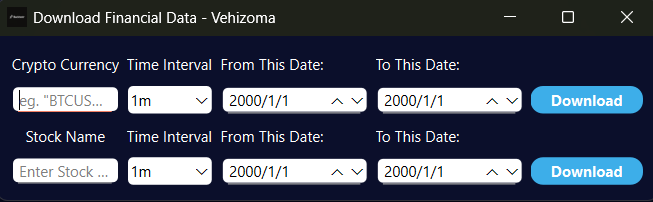
Upon first use we will be asked to where to download/store the data. Later it will not ask again and will remember user choice.
This part of the app is where all the magic happens. We will see the following UI.
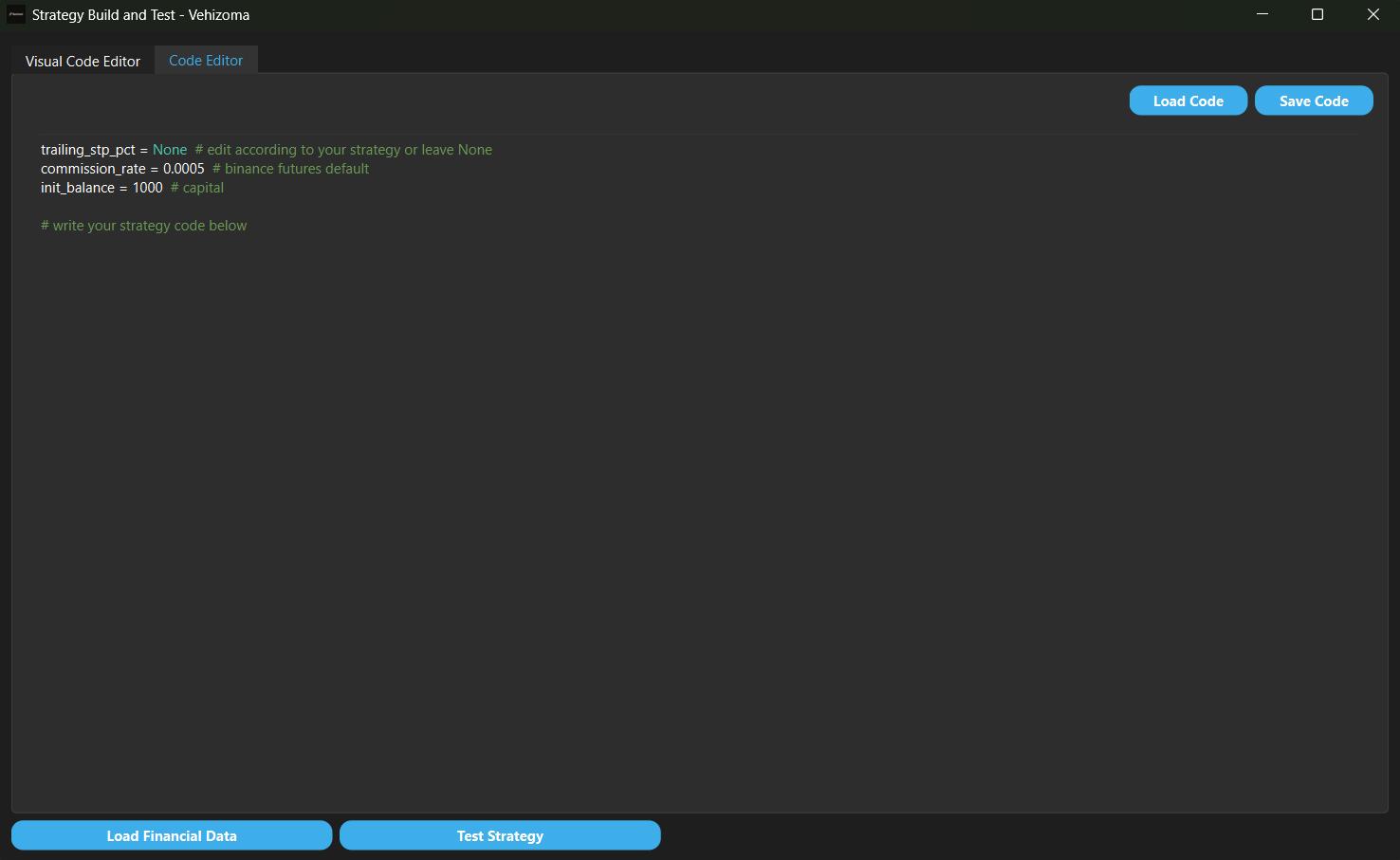
Lets load data with "Load Data" button
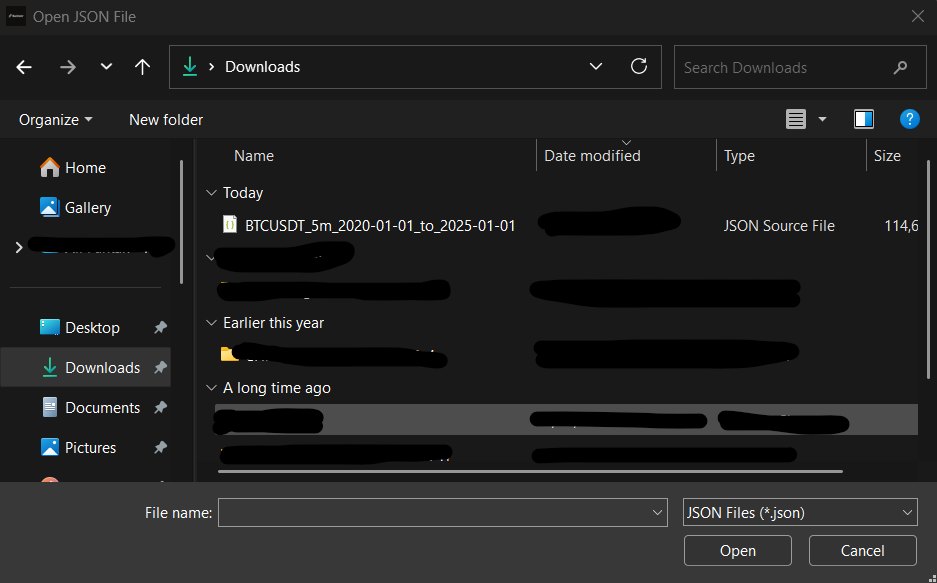
For this example we will use Bitcoin's 5 years worth of data with 5 minute candles from 2020/1/1 to 2025/1/1.
.
Now we can code actual strategies. Here is a basic EMA crossover strategy for Backtestr.
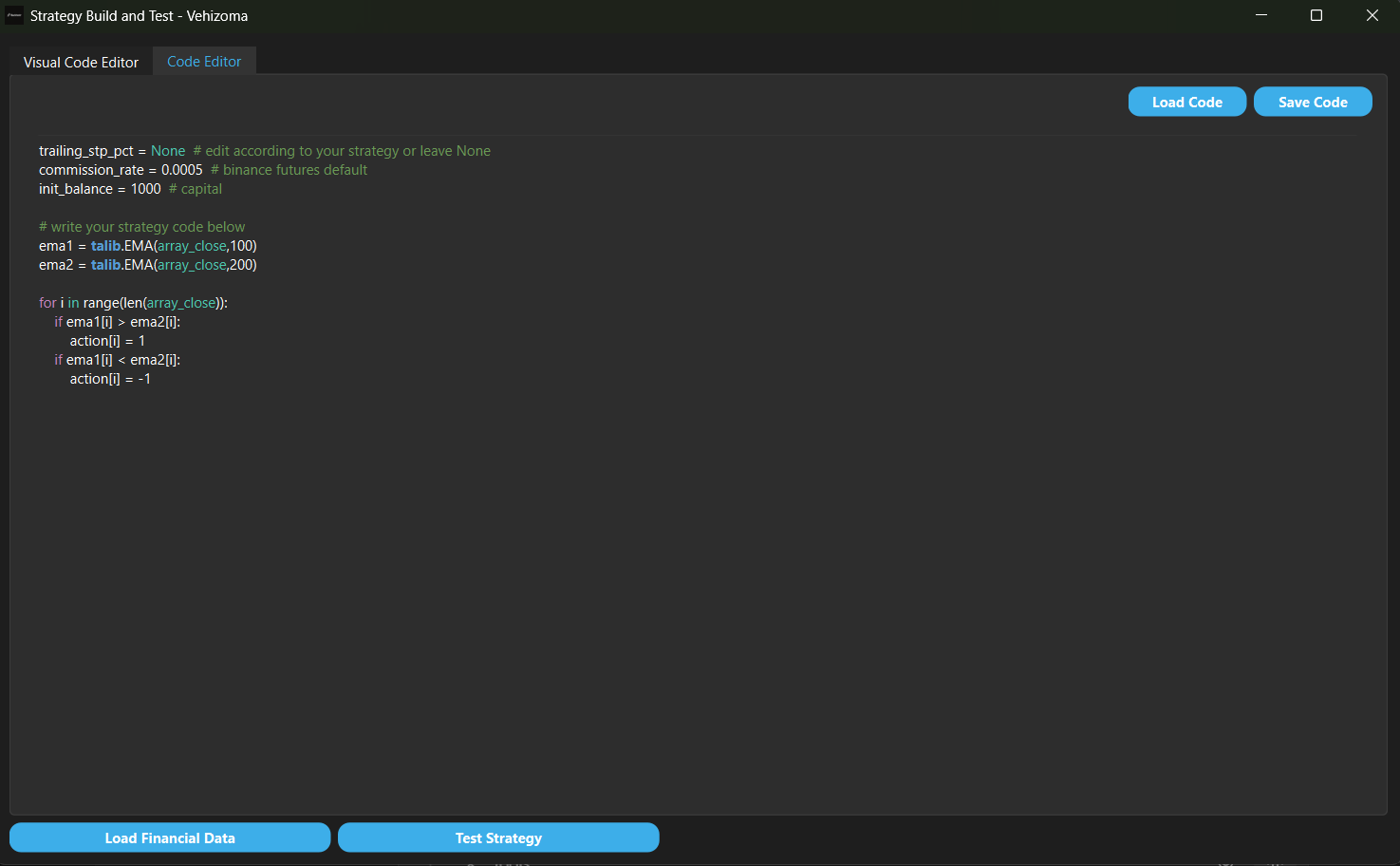
If we do not know any python we can just use code blocks for the same code.
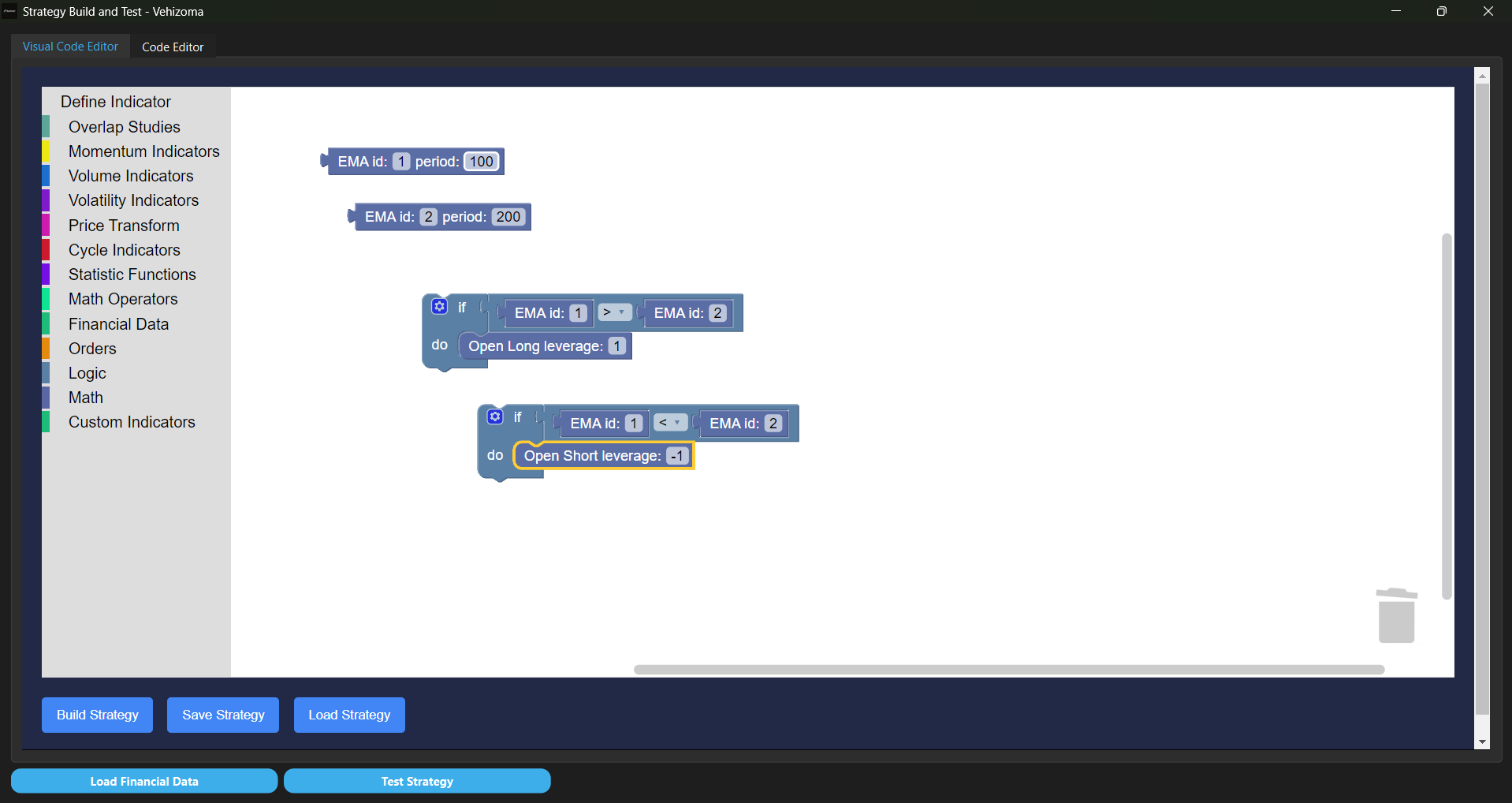
If we execute the strategy the following results page should appear:
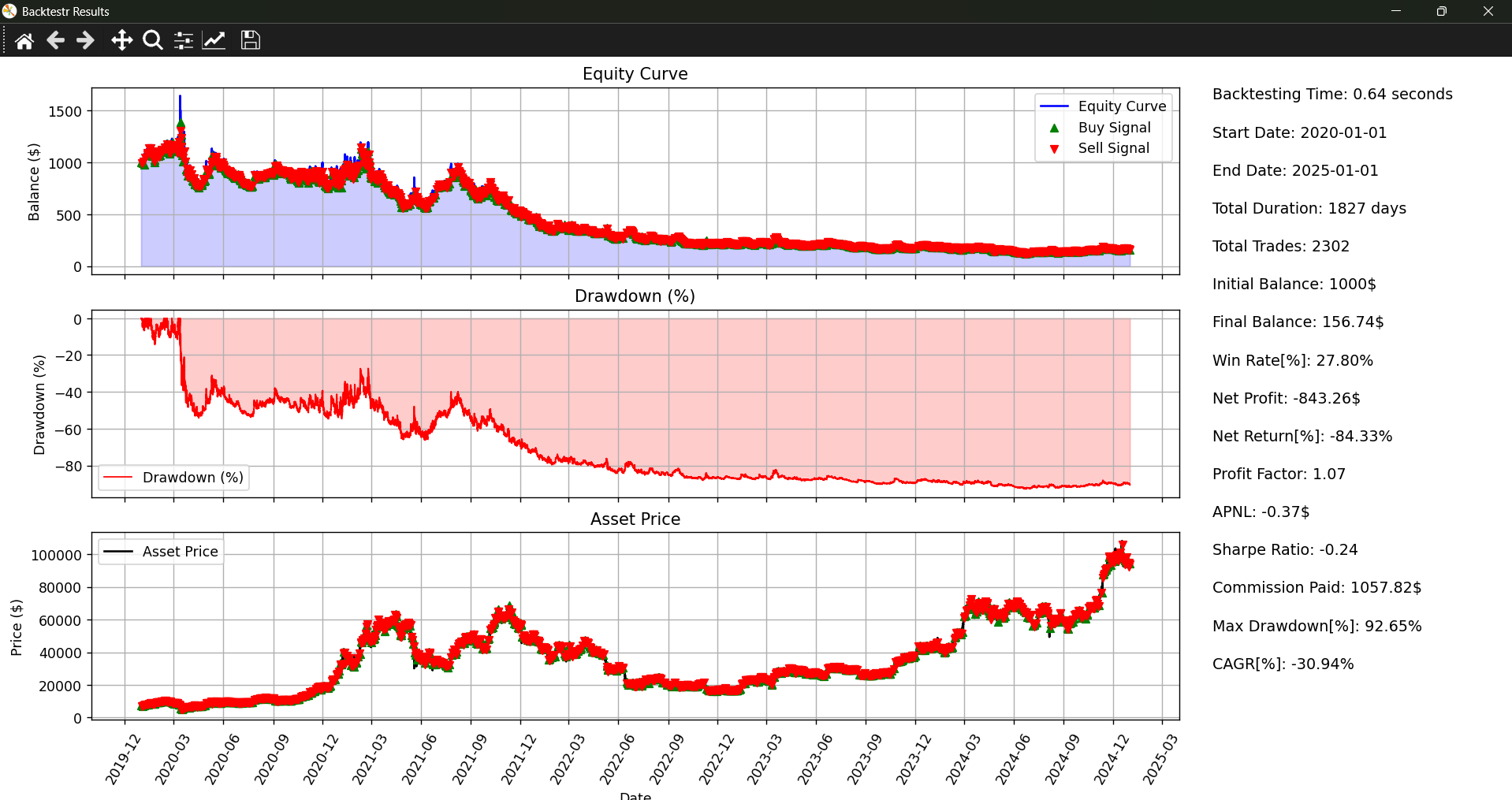
If one made it this far, congrats. More information here
© Backtestr. All rights reserved.